See a campaign land
Scans plotted day by day for the last 30 days, so you can tell the week the sign went up from the week it came down.
A KeeperQR code holds a short link, not your address. Point that link somewhere new whenever you want, see every scan it gets, and keep it working after you stop paying.
Printed on 35 Dining Tables & Patio
Pick whichever is closest to your work, then change what sits behind the code.
A listing goes from coming-soon to open house to sold, and the rider in the lawn stays exactly where it is. You change where the code lands, not the sign.
A listing sells on the Friday. The rider stays in the lawn, and by Saturday the same code is showing the next house on the street instead of a dead page.
Pick a campaign, change the destination, and watch where the next scan lands. It is a simulation of the routing rules, not the generator: nothing you type here is saved or turned into a scannable code.
KeeperQR picks the short code. The domain is yours: add a DNS record and your printed links read as your own address.
The printed code never changes. Only the destination behind it does.
Free covers a few codes properly. Pro is for printing at scale, sharing the work with a team, and keeping every scan you have ever had.
Table tents, yard signs, magazine spreads, billboards, badges, packaging. Once a code is out there you cannot get it back, so the printed square holds a short link and the destination behind it stays a field you can edit.
Print the link on a domain you own, such as qr.realtypros.com or menu.osteriabella.com. The address on the sign is yours, which also means you could point it somewhere else entirely one day.
Which sign is working is otherwise guesswork. Every scan records the hour, the country and city, the device, the OS, the browser and the page that referred it, and you can export the lot.
Menus get moved and landing pages get unpublished. Every active destination is checked at 06:00 UTC, and when one goes from working to broken you get one email naming the code, so you can re-point it.
One printed square can answer differently depending on the phone that scanned it, the country it was scanned in, and whether the code is inside its active dates. A password can sit in front of any of it.
A printed code outlives whatever software made it. So we never switch off a code to make you pay, we never put an ad or an upgrade prompt between a scan and your destination, and your export is open on every plan.
A static code sends everyone to the same page forever. A KeeperQR code checks a short list of rules first, in order, and falls through to your default destination when none of them match.
A reserve wine list, an off-market listing, a speaker briefing. The printed square is the same one everybody can see, and the page behind it asks for a password first.
This code is password protected. Enter the password to continue.
Files get moved and pages get renamed. Every active destination is checked once a day, so if one stops answering you know about it while the sign is still standing there. We also watch busy codes for an unusual drop in scans and email you, so you can check whether the poster or sticker was damaged or went missing.
Once a menu is on 500 table tents, checking each link by hand stops being realistic. At 06:00 UTC every active destination gets a request, and what came back is recorded against the code.
Every plan tells you when, where and on what your codes get scanned. Pro goes deeper, and since every scan is kept on every plan, upgrading shows your full history straight away.
Scans plotted day by day for the last 30 days, so you can tell the week the sign went up from the week it came down.
Every scan placed by country, without setting a cookie, so you see your reach without tracking anyone.
Phone, tablet or desktop, so you know which screen your landing page has to work on first.
The same scans, in more depth, for as far back as you want.
The same scans broken down by city, so a campaign across three towns tells you where to put the next one.
An hour-by-day heatmap shows when your codes actually get noticed, so the next sign or post goes out at the right time.
The operating systems and browsers behind your scans, so you check your page on the phones your audience actually carries.
90 days, all time or a custom range, plus a CSV of every scan in view for your own reports.
KeeperQR is new, and the first 200 people to back it get Pro for a single payment. No monthly fee, no renewal, and the same features every Pro subscriber gets.
When the last spot goes, the offer closes and Pro after that is $9 a month or $90 a year.
Free has 3 dynamic codes and no end date. Pro is $9 a month, $90 a year, or $129 once as one of the first 200 people here. Full refund within 14 days, no reason needed.
A few codes that work properly, for as long as people scan them.
Unlimited codes, your team and your domain, and every scan you have ever had.
Paid once. There is no renewal.
Ask within 14 days of a monthly charge, or 30 days of an annual or Founding Member purchase, and you get your money back without giving a reason. Your codes keep working on Free afterwards.
There is no logo wall on this page, no star rating and no scan counter, because there are no customers yet to make any of them true. Here is what there is instead: six commitments, each one checkable before you pay anything.
The route that answers a scan reads one thing, which is the destination you set. It never checks your plan, so a code you printed carries on working whether you are on Free, on Pro, or have just cancelled.
Codes carry on working and recording scans, your domain carries on serving, and routing rules keep working as you set them. Your 3 oldest Website or Contact Page codes stay editable, your recent analytics stay visible, and you can pause, resume or delete any code.
Print codes on a domain you control and the link belongs to you. If you ever leave, or we ever go away, you can point that hostname at something else and every printed code keeps resolving.
Every code with its short link, destination, routing rules and schedule as CSV or JSON, plus all-time scan history as CSV. It is on every plan, including Free, so leaving is never something we can hold up. The CSV re-imports, so a full campaign can be rebuilt elsewhere.
A scan records time, country, city, device, OS, browser and the referring site. The raw IP is one-way hashed for counting unique scans and never written down, and no cookie is set on the person scanning.
At 06:00 UTC, every active destination gets a request. If one goes from working to broken you get a single email, with the code named so you can re-point it, and not another one every morning after.
Start free with 3 codes and no card. When you want more, Pro is $9 a month, or take the $129 Founding Member plan, which is Pro paid once, capped at 200 people. Full refund within 14 days, no reason needed.
I have worked with businesses of every size, as a contractor and on staff, and the same thing keeps happening. Someone needs a QR code, reaches for a free one-off generator, and gets on with their day. That is a perfectly reasonable thing to do, right until the page behind the code moves, and by then it is printed. I have watched people reprint a whole run over it, and rig up spreadsheets and redirects to get any real numbers out of the codes they did have. KeeperQR is the thing I wanted to hand them instead.
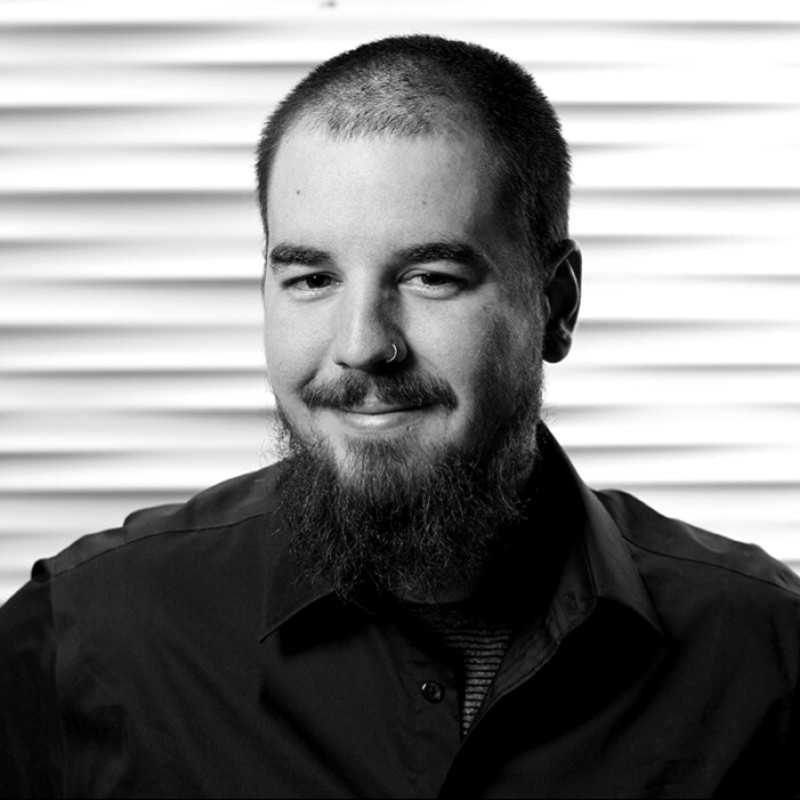 Sebastian InmanFounder, KeeperQR
If yours is not here, start free and test it against your own case. It costs nothing and asks for no card.